
Download WSBTweather – iPhone weather app, free weather app, real-time weather, weather forecast, local weather updates
Overview
WSBTweather is a free iPhone application designed to deliver accurate and timely weather information to users seeking real-time updates and reliable forecasts. As a dedicated weather tool, it aims to support daily planning by providing localized weather conditions, helping individuals prepare for changing environmental conditions. The app is tailored for consumers who rely on current weather data for commuting, outdoor activities, or travel decisions.
Developed by WSBT Inc., the software was released on August 14th, 2023, and is currently available in English only. It requires iOS 16.4 or later, ensuring compatibility with modern iPhone devices. While the developer has not provided extensive background on their development practices, the app has already seen over 100,000 downloads, suggesting strong user interest.
Real-world usage scenarios include checking morning forecasts before leaving home, monitoring storm alerts during severe weather, or tracking temperature trends for gardening or sports planning. The app's focus on simplicity and accessibility makes it a practical choice for everyday weather needs.
Key Features & Capabilities
- Real-time weather updates – Provides current conditions such as temperature, humidity, wind speed, and precipitation levels, allowing users to make informed decisions based on up-to-the-minute data.
- Local weather forecasts – Delivers detailed forecasts for specific locations, including daily and hourly predictions to support short-term and long-term planning.
- Weather alert notifications – Sends timely alerts for severe weather events such as storms, heavy rain, or extreme temperatures, helping users stay safe and prepared.
- Intuitive interface – Designed with a clean layout optimized for iPhone touchscreens, enabling quick access to essential weather details without clutter.
- English-only language support – Ensures consistent user experience for English-speaking audiences, though this limits accessibility for non-English users.
These features support practical daily use, such as deciding whether to carry an umbrella, planning a weekend hike, or adjusting travel schedules based on forecasted conditions. The app’s ability to deliver localized data enhances its relevance for users in specific geographic areas. While the developer has not disclosed additional features like radar maps or historical weather data, the core functionality focuses on delivering essential weather insights efficiently. The absence of advanced tools may be intentional, aligning with a minimalist design philosophy aimed at speed and usability.
User Interface, Workflow & Performance
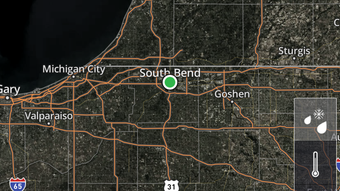
WSBTweather features a streamlined user interface tailored for iPhone’s touch-based navigation. The layout emphasizes clarity and quick access, with weather data presented in a visually intuitive format. Users can expect a straightforward workflow: launching the app, selecting a location (or using automatic geolocation), and viewing current conditions and forecast details.
Navigation is likely consistent with iOS design standards, minimizing the learning curve for new users. The app’s performance is expected to align with typical iPhone app behavior, delivering fast load times and responsive interactions. However, exact performance details such as CPU or RAM usage were not specified by the developer.
The app’s size of 24.3 MB suggests a lightweight footprint, which may contribute to efficient operation on supported devices. Stability and background refresh behavior were not publicly documented, but the app’s free status and popularity may indicate ongoing maintenance. Users should expect consistent functionality during regular use, though performance may vary based on device model and network conditions.
Compatibility & System Requirements
WSBTweather is designed exclusively for iPhone devices running iOS 16.4 or later. This ensures access to modern system APIs and improved performance features available in recent iOS versions. The app has a file size of 24.3 MB, indicating a compact installation footprint that should not significantly impact storage space on most iPhones.
The developer did not provide additional system requirements, such as minimum processor speed or RAM specifications. Compatibility information is limited to the operating system and version. Users with older iPhone models that do not support iOS 16.4 will not be able to install or run the app.
While the app is confirmed to work on compatible devices, exact hardware requirements were not listed. The current version is 5.10.500, suggesting ongoing development and updates. For users considering installation, it is recommended to verify iOS compatibility before proceeding.
Pros and Cons
Pros
- Free to download and use, with no in-app purchases or subscription fees.
- Lightweight installation at just 24.3 MB, minimizing storage impact.
- Real-time weather updates provide timely and accurate data.
- Simple, intuitive interface optimized for iPhone touchscreens.
- Available in English only, ensuring clear and consistent information delivery.
Cons
- Language support is limited to English, restricting accessibility for non-English speakers.
- Exact performance and resource usage details were not disclosed by the developer.
- Compatibility is restricted to iOS 16.4 or higher, excluding older iPhone models.
- Limited information on advanced features such as radar, historical data, or multiple location tracking.
- Developer background and support channels were not provided.
FAQ Section
Is WSBTweather available for Android devices?
WSBTweather is currently designed for iPhone and is not available on Android platforms.
Does WSBTweather require an internet connection to function?
Yes, the app requires an active internet connection to access real-time weather data and updates.
Can I use WSBTweather offline?
While the app may cache recent data, full functionality depends on an active internet connection for live updates.
How often are weather updates refreshed?
The frequency of updates is not specified by the developer, but real-time data is expected to be delivered regularly.
Is WSBTweather safe to download and use?
WSBTweather is published on Softonic, a reputable software platform, and is free from known malware. However, users should ensure they download from trusted sources.
Final Thoughts + CTA
WSBTweather offers a focused and accessible solution for iPhone users seeking reliable weather information. With its clean interface, real-time updates, and free access, it serves as a practical tool for daily weather monitoring. While it lacks advanced features and language support beyond English, its core functionality is well-executed and efficient.
The app’s lightweight design and compatibility with modern iOS versions make it suitable for a wide range of iPhone users. For those prioritizing simplicity and immediate access to weather forecasts, WSBTweather delivers a solid experience. Despite limited developer transparency, the app’s popularity and consistent updates suggest ongoing support.
Download WSBTweather now to stay informed with the latest local weather updates.







